

Build a Consumer Bitcoin App with Arc Studio's Uniswap Skill

Summary
- Arc Studio's skills let the coding agent you already use integrate an onchain protocol you haven't worked with before.
- The Uniswap skill finds the pool with usable liquidity, the contracts to call, and how to encode each call, in one request.
- Arc Studio returns structured results, so your coding agent can verify them onchain before you build on them.
- A consumer app should present quotes, fees, and errors in language everyday customers already understand.
Stablecoins and tokenized assets make it possible to build financial features, such as letting customers swap USDC for cirBTC.
On Arc, the pieces you need are already onchain. USDC and cirBTC (Circle's wrapped bitcoin, backed 1:1 by BTC) are both tokens on Arc, and there's a public Uniswap pool for trading between them. Network fees on Arc are paid in USDC, which means your customers can hold dollars and bitcoin without needing a third asset to pay fees. That leaves the integration itself, which is where Arc Studio's Uniswap skill comes in.
In this post, we'll show you how to use it to add bitcoin trading to an app. In this example, we're going to use Claude Code to build an iOS app. If you use Codex or Cursor, the steps are the same.
The steps below illustrate one example integration and may not include every step your app or use case requires. Each developer is responsible for independently evaluating, building, testing, and verifying their own integration, including identifying and completing any additional steps needed for their implementation. You are also responsible for ensuring your app and its use comply with all applicable laws and requirements.
Step 1: Set up Arc Studio in Claude Code
Arc Studio works with the coding agent you already use, including Claude Code, Codex, and Cursor. You keep building your app in Claude Code as usual, and Claude Code passes onchain tasks to Arc Studio.
The setup takes three commands:
npm install -g @circle-fin/arc-studio-cli
arc-studio skills install --tool claude-code
arc-studio login
After you sign in, you can ask Claude Code to use Arc Studio from the same session you're building in.
Step 2: Research the integration with the Uniswap skill
Before you write any swap code, you need to know:
- Which Uniswap pools trade USDC for cirBTC.
- Which of those pools has enough liquidity for real orders.
- Which contracts to call to get a price and to make a swap.
- How to format those calls.
If you haven't worked with Uniswap before, this research can take a while. You'd typically read through deployment lists, query the factory contract, and check each pool's liquidity yourself. The Uniswap skill lets Arc Studio do that for you.
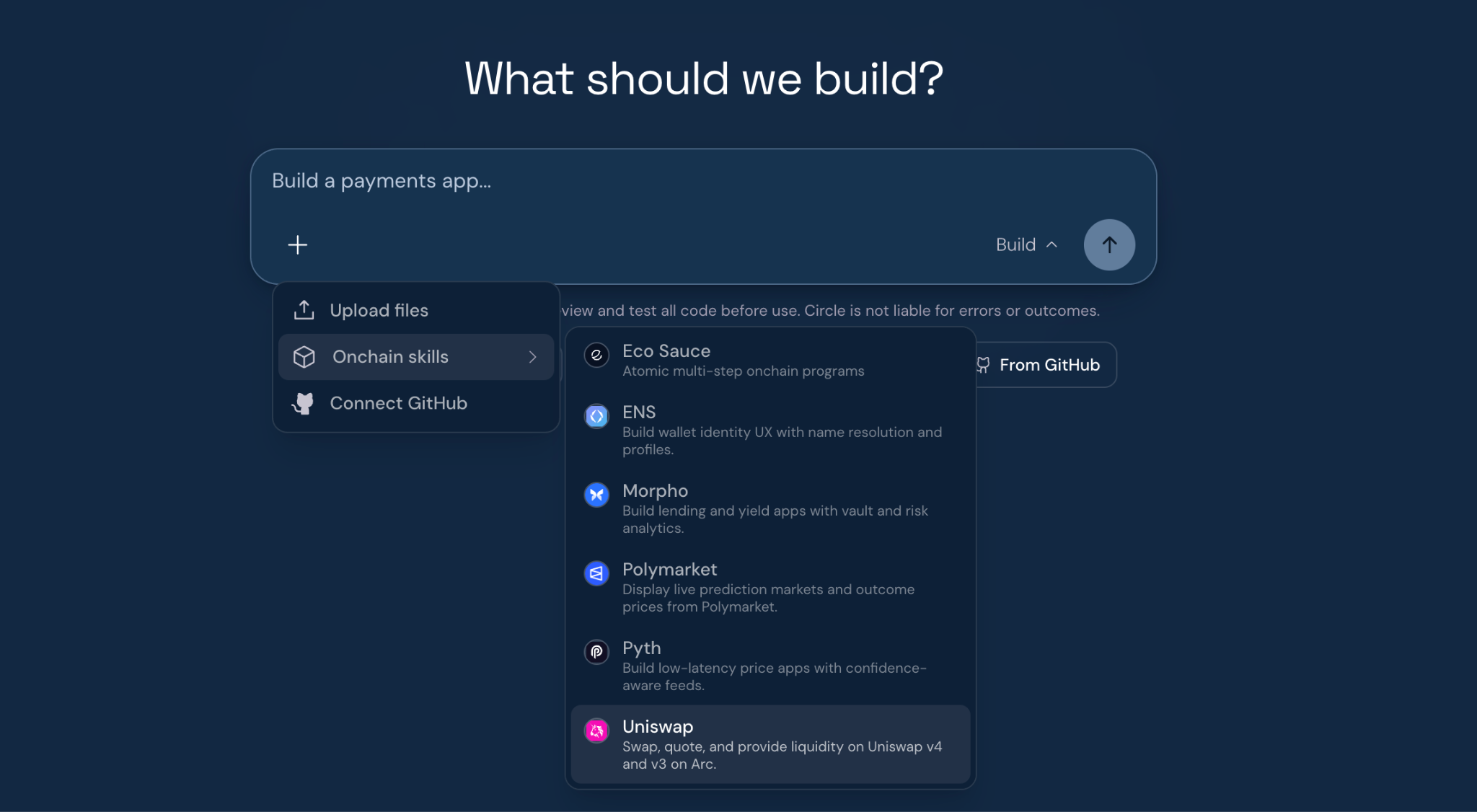
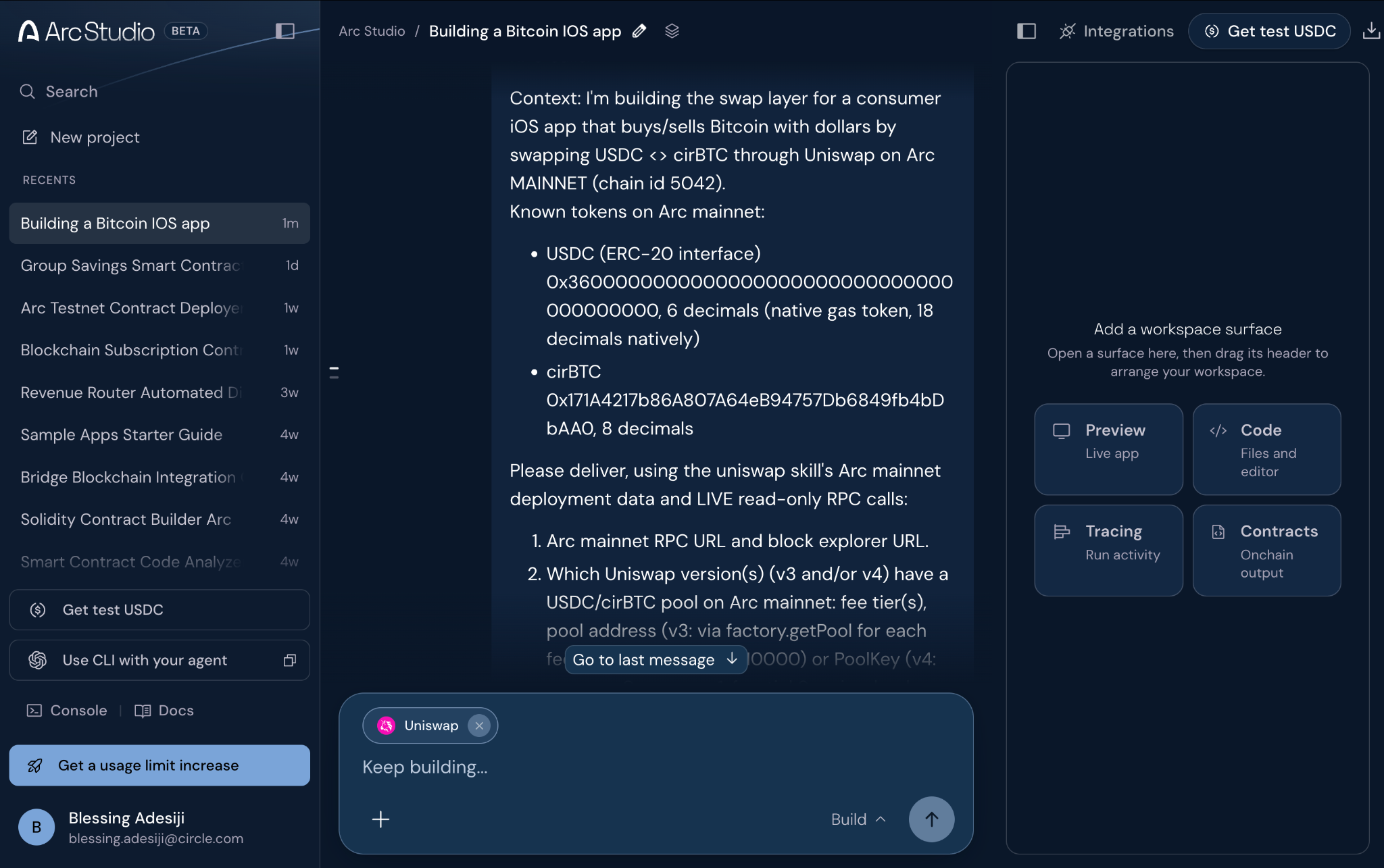
The first step is to write a prompt that describes your use case and lists the information you need. It's a good idea to ask Arc Studio not to deploy contracts or send transactions, since you only need research at this stage. In this example, we're going to use the following prompt:
Research a USDC <> cirBTC swap on Uniswap on Arc mainnet for a consumer app
(orders of $1-$500). Do not deploy contracts or send transactions.

Return:
1. Which Uniswap pools exist for the pair, their fee tiers and liquidity,
   and the best pool for small orders.
2. The quoter and router addresses to use.
3. Function signatures and calldata for quotes, approvals, and swaps.
4. A live quote for 25 USDC to cirBTC and the reverse.
5. Anything specific to Arc, such as gas pricing.
Once the prompt is ready, you can ask Claude Code to send it to Arc Studio with the Uniswap skill enabled. Claude Code runs a command like the following:
arc-studio run --skills uniswap \
  --prompt-file swap-research.txt \
  --session bitcoin-app --output json
When the request finishes, Arc Studio returns what it found. In this example, Arc Studio checked each Uniswap v3 fee tier and several v4 configurations for USDC and cirBTC. Only one had usable liquidity: the v3 pool with a 0.01% fee.
Along with the pool, Arc Studio returned the addresses of the QuoterV2 and SwapRouter02 contracts, the function signatures and encoding for each call, and live quotes in both directions.
The quotes are useful for understanding how real orders will behave. For example, a $25 purchase moved the price by about 0.002%, so customers making small purchases will get close to the quoted price. Prices can change between the quote and the trade, though, so Arc Studio recommended requesting a new quote right before each swap.
The full session, including the quotes and reference code, is saved in your Arc Studio workspace.
Step 3: Verify the pool, contracts, and quote on Arc
Because Arc Studio returns its results as structured JSON, Claude Code can verify them before you start building. You can ask Claude Code to check the following against the Arc mainnet RPC endpoint:
- Each contract address has deployed code.
- The router and the quoter use the same Uniswap factory.
- The factory returns the pool that Arc Studio reported.
- A quote that Claude Code requests on its own matches Arc Studio's quote.
We recommend running these checks for any integration that handles customer funds.
Step 4: Build the USDC-to-cirBTC swap
Once the checks pass, you can ask Claude Code to write the swap code. A purchase takes one or two transactions. If the router isn't already allowed to spend enough of the customer's USDC, the app first sends an approval. Then it sends the swap itself:
if allowance < amountIn { approve(router, amountIn) }

router.multicall(deadline, [
    exactInputSingle(USDC, cirBTC, fee: 100, recipient: user,
                     amountIn, amountOutMinimum: quote * 0.995, sqrtPriceLimitX96: 0)
])
The minimum output amount and the deadline help limit the effect of price movement and transaction delay. If the price moves more than 0.5% before the swap executes, the transaction fails rather than completing at a worse price. If the transaction is delayed by more than 20 minutes, it won't execute at all.
The next thing is to decide where the swap code lives in your app. You can keep it in its own module, with functions that take and return amounts in dollars and bitcoin. That way, your screens can show prices and place orders without handling token amounts or contract calls. This also makes it easy to use a simulated version during design reviews, before you have a funded wallet.
Design a simple Bitcoin buying flow for customers
Now that the swap code is in place, let's look at how customers will experience the app. A good place to start is the customer's journey through a purchase.
In this example, a customer opens the app to buy $25 of bitcoin. They tap Buy, choose $25, and land on the review screen. At that point, they want to know how much bitcoin they'll get, what the fees are, and how much will leave their cash balance. They don't need to know that the app is about to approve a router and send a swap to a Uniswap pool.
If the review screen showed a token approval, a pool fee tier, and a slippage setting, many people would stop before they finished their first order. So the app answers the customer's questions in plain words and handles the rest in the background.
The following table shows how each onchain detail from the previous sections appears in the app:
You also need to think about what customers see when an order doesn't go through. In this example, if the price moves more than 0.5% before the swap completes, the transaction fails. Instead of showing the error from the contract, the app shows "Price changed. Review the new price." and gets a fresh quote, so the customer can decide whether to buy at the new price.
In this example, the customer sees a price, a fee, and a total, taps Confirm, and gets a receipt. Behind that, the app still sends an approval and a swap to the Uniswap pool on Arc. As you build the rest of the purchase flow, try to keep each screen at that level of detail, so someone who has never used a crypto app can buy bitcoin without help.
Things to keep in mind
The Uniswap skill works with Arc mainnet, since that's where the pools are deployed. If Arc Studio writes contracts for you, it deploys them to Arc Testnet, which gives you a place to test your own logic first.
You don't need mainnet funds to build the app, though. You can build and review the whole purchase flow with a simulated swap, and you only need mainnet and a small amount of USDC when you're ready to place real orders.
Liquidity also changes over time. It's best to get a quote right before each order, and to decide what your app should show if no route is available.
Use Arc Studio skills to integrate with other protocols
Uniswap is one of several protocol skills in Arc Studio. Others include Chainlink, Pyth, Morpho, ENS, Polymarket, and Circle agent wallets. You can see the full list by running the command:
arc-studio skills
The workflow in this post works for any of them. You ask Arc Studio to research the integration, have your coding agent check the results, and then build the feature.
USDC is issued by regulated affiliates of Circle. See Circle’s list of regulatory authorizations.
Sample apps provided for demonstration and educational purposes only, intended for Arc testnet use only, and not production-ready. See Studio.arc.io for more.
Arc mainnet is an open L1 blockchain launched and offered by Arc Network Services LLC (“Arc LLC”) and operated by a permissioned validator set. Arc testnet is offered by Circle Technology Services, LLC (“CTS”). Arc LLC and CTS are software providers only and do not provide regulated financial or advisory services. Neither the Arc mainnet nor testnet has been reviewed or approved by the New York State Department of Financial Services or any other regulatory authority.
The Arc network is provided “as is” and “as available.” Use of Arc involves inherent risks associated with blockchain technology, including smart contract vulnerabilities, network disruptions, and the absence of recourse for transaction errors or losses. The ability to transact on Arc depends on the ability to obtain and use USDC to pay gas fees. Neither Arc LLC nor any permissioned validator is responsible for the content, accuracy, legality, or functionality of third-party applications, protocols, or services built on or integrated with Arc.
You are solely responsible for any features or services you provide to users, including obtaining any necessary licenses or approvals and otherwise complying with applicable laws. All Arc features may be modified, delayed, or cancelled at any time without notice and, where applicable, at the sole discretion of Arc LLC or CTS. Nothing herein constitutes a commitment, warranty, guarantee, or legal, regulatory, tax, or investment advice.
Transactions on mainnet involve real funds and, once submitted, are irreversible. Arc Studio may generate or edit code or configuration that references mainnet, but Arc Studio does not deploy to, transact on, sign for, fund, or otherwise interact with mainnet on your behalf. Any code used for mainnet must be independently reviewed, tested, validated, deployed, and operated by you outside of Arc Studio. You are solely responsible for any losses, errors, or other consequences resulting from your use of any code, configuration, or output generated or edited through Arc Studio in connection with mainnet. Before proceeding, you should first use testnet, obtain an independent professional audit, and carefully review all wallet addresses, contract addresses, chain settings, permissions, and other configuration details. Only continue to mainnet after you have completed your independent review and have determined that you want to proceed.