

Build a USDC Revenue-Splitting App with Arc Studio, No Code Required

Summary
Arc Studio is an onchain coding agent that lets you turn an idea into an application in natural-language. It generates smart contracts, frontend UI components, documentation, deployment workflow, and tests that check whether the generated contracts behave as intended.
In this tutorial, we’ll use Arc Studio to build Revenue Router, a sample USDC revenue-splitting app for teams. A team can define recipients, assign percentage shares, receive USDC into a route, and distribute funds according to those rules.
Think of it as a programmable revenue account. Instead of manually moving funds after USDC arrives, teams can define how revenue should be routed from the start.
This is the kind of programmable money primitive Arc is designed for: applications where value does not just sit in an address, but follows logic.
What We’re Building
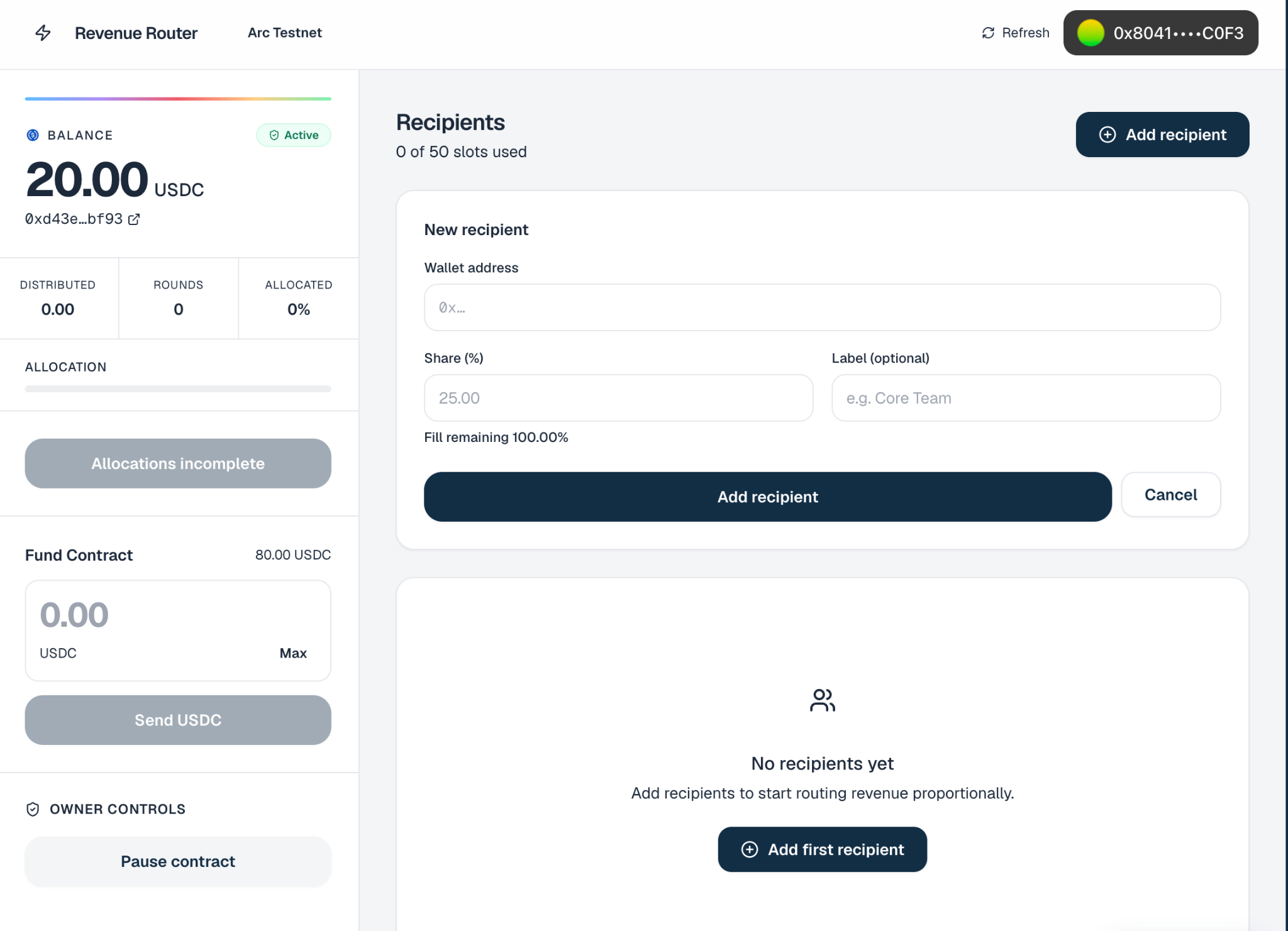
Revenue Router is a full-stack sample Arc application with:
- A smart contract factory for creating revenue routes
- Route contracts that hold and distribute USDC
- Recipient allocation rules using basis points
- A frontend for creating routes and managing recipients
- Deposit instructions and a distribute button
- Contract tests, reviews, README, and deployment
Step 1: Open Arc Studio
Go to Arc Studio, create a new account, or sign in if you have an account already.
Arc Studio combines the parts of an onchain workflow that usually live across separate tools:
- Prompt-based product definition
- Solidity contract generation
- Frontend generation
- Terminal and file explorer
- Compile, reviews, and test loops
- Live preview
- Arc Testnet deployment
That makes Arc Studio purpose-built for onchain builders.
Step 2: Describe What You Want to Build
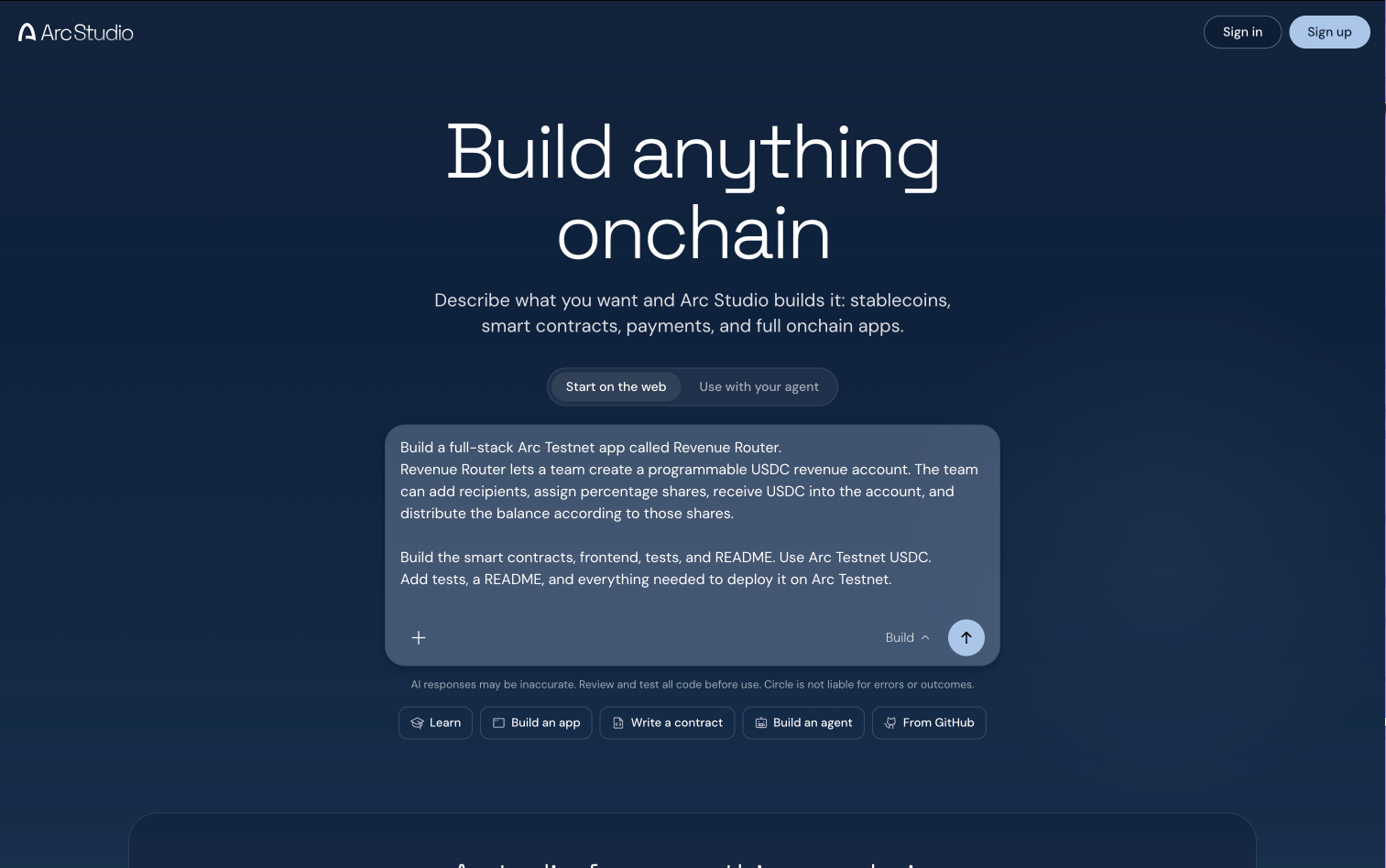
For this tutorial, we’ll start with a more detailed prompt so you can copy, paste, and follow along end to end.
You do not have to write a perfect prompt up front. Arc Studio works like an interactive build partner: describe your idea in plain language, review the plan it creates, and refine the app through follow-up messages as Arc Studio generates the contracts, frontend, tests, and deployment workflow.
Build a full-stack Arc Testnet app called Revenue Router.Revenue Router lets a team create a programmable USDC revenue account. The team can add recipients, assign percentage shares, receive USDC into the account, and distribute the balance according to those shares.Build the smart contracts, frontend, tests, and README. Use Arc Testnet USDC.Add tests, a README, and everything needed to deploy it on Arc Testnet.Step 3: Review Arc Studio’s Plan
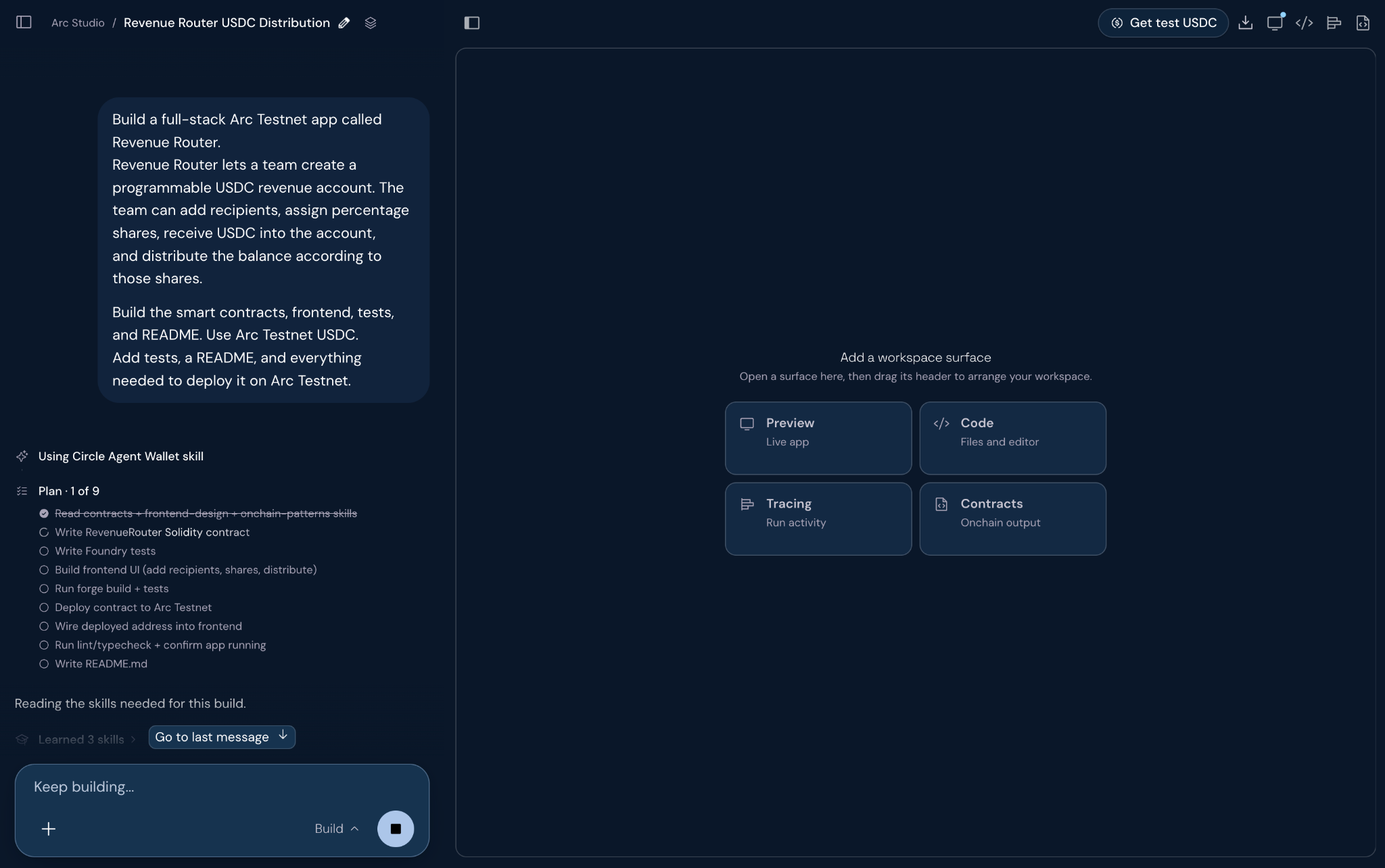
Arc Studio turns the prompt into a build plan. In this case, the plan included:
- Contract generation
- Contract review
- Contract build
- Frontend generation
- Test coverage
- README documentation
- Deployment workflow
This is useful because developers can inspect the plan before the app goes onchain.
Step 4: Inspect the Contracts
Arc Studio generated RevenueRouterFactory and RevenueRoute. The factory creates route contracts. Each route stores:
- Owner
- Route name
- Arc Testnet USDC address
- Recipients
- Basis-point allocations
- Total distributed
- Distribution count
- Pause state
The key flow is:
- A user creates a route.
- The factory deploys a route contract.
- USDC is sent to the route contract.
- Anyone can call the distribute() function.
- The contract sends USDC to recipients based on their shares.
This turns a receiving address into programmable-money infrastructure.
Step 5: Compile, Review, and Test
Arc Studio handled the contract development loop inside the workspace. During this build, Arc Studio:
- Wrote the Solidity contracts
- Fixed a shell write issue
- Detected a Hardhat dependency mismatch
- Upgraded the Hardhat setup
- Compiled the contracts
- Ran contract reviews
- Generated tests
- Iterated on failing test cases
The tests covered route creation, invalid allocations, duplicate recipients, zero addresses, deposit and distribution math, rounding dust, pause/unpause, ownership transfer, rescue behavior, and invariants.
Step 6: Preview the Frontend
Arc Studio generated a React frontend with:
- Dashboard
- Route creation form
- Recipient editor
- Route detail view
- USDC balance display
- Deposit instructions
- Distribute button
- Transaction states
- Demo mode
This matters because developers do not just need contracts. They need a usable application that shows how users interact with those contracts.
Step 7: Deploy to Arc Testnet
Once the contracts compile, tests pass, and the frontend is connected, Arc Studio brings deployment into the same workflow, helping developers move from prototype to Arc Testnet without switching tools.
For this build, Arc Studio deployed the Revenue Router contract to Arc Testnet and surfaced the deployed address directly in the app preview:
You can view and verify the deployed contract on ArcScan: 0xD43E575790A15bb8931416aD9F10f064d3daBF93
This completes the full Arc Studio workflow:
- Describe the product in natural language
- Generate smart contracts
- Generate frontend
- Compile contracts
- Run reviews
- Run tests
- Deploy to Arc Testnet
- Verify on ArcScan
Step 8: Fund and Use the App
After deployment, Arc Studio lets you use the app directly from the preview. This is where the generated contracts and frontend come together.
First, connect your wallet in the app preview. If you need testnet USDC, use Arc Studio’s built-in Testnet Faucet from the workspace toolbar. This gives you testnet funds so you can try the app without leaving Arc Studio or using real USDC.
Once your wallet is funded, use the app to:
- Add recipients by entering wallet addresses and percentage shares.
- Make sure the allocations add up to 100%.
- Use the Fund Contract panel to send testnet USDC into the deployed revenue route.
- Click Distribute to route the USDC to recipients based on the percentages you defined.
- Use Refresh or the ArcScan link to verify the updated contract state.
This step completes the Arc Studio workflow. You use the deployed app, fund it with testnet USDC, and watch the smart contract execute the revenue-splitting logic on Arc Testnet.
What Arc Studio Unlocks
Revenue Router is one example of programmable money on Arc. The same pattern can support:
- Protocol revenue splits
- Creator payouts
- Marketplace fee routing
- Agent-triggered payments
- Treasury workflows
- Automated USDC operations
Arc Studio makes it easier to explore these ideas because the developer starts with the behavior they want, then gets the contracts, tests, frontend, docs, and deployment workflow needed to make it real.
Build Onchain Apps Faster with Arc Studio
Arc Studio is purpose-built for the onchain moment: turning product logic into smart contract logic and deploying it on Arc. For developers building with programmable money, that is the unlock. Arc Studio compresses the path from idea to deployed onchain app, while keeping the generated code, tests, review, and deployment steps visible.
USDC is issued by regulated affiliates of Circle. See Circle’s list of regulatory authorizations.
Sample apps provided for demonstration and educational purposes only, intended for Arc testnet use only, and not production-ready. See Arc.io for more.
Arc is an open L1 blockchain launched by Arc Network Services LLC ("Arc LLC") and operated by a permissioned validator set. Arc LLC provides software services only and does not offer regulated financial or advisory services. Arc has not been reviewed or approved by the New York State Department of Financial Services or any other regulatory authority.
The Arc network is provided "as is" and "as available." Use of Arc involves inherent risks associated with blockchain technology, including smart contract vulnerabilities, network disruptions, and the absence of recourse for transaction errors or losses. The ability to transact on Arc depends on the ability to obtain and use USDC to pay gas fees. Neither Arc LLC nor any permissioned validator is responsible for the content, accuracy, legality, or functionality of third-party applications, protocols, or services built on or integrated with Arc. You are solely responsible for features or services you provide to users, including obtaining any necessary licenses or approvals and otherwise complying with applicable laws.
All Arc features may be modified, delayed, or cancelled at any time without notice. Nothing herein constitutes a commitment, warranty, guarantee or legal, regulatory, tax, or investment advice.